Work visually when you want speed, or numerically when you want exact positioning.
01 / Spatial position
Drag it there. Or dial it in.
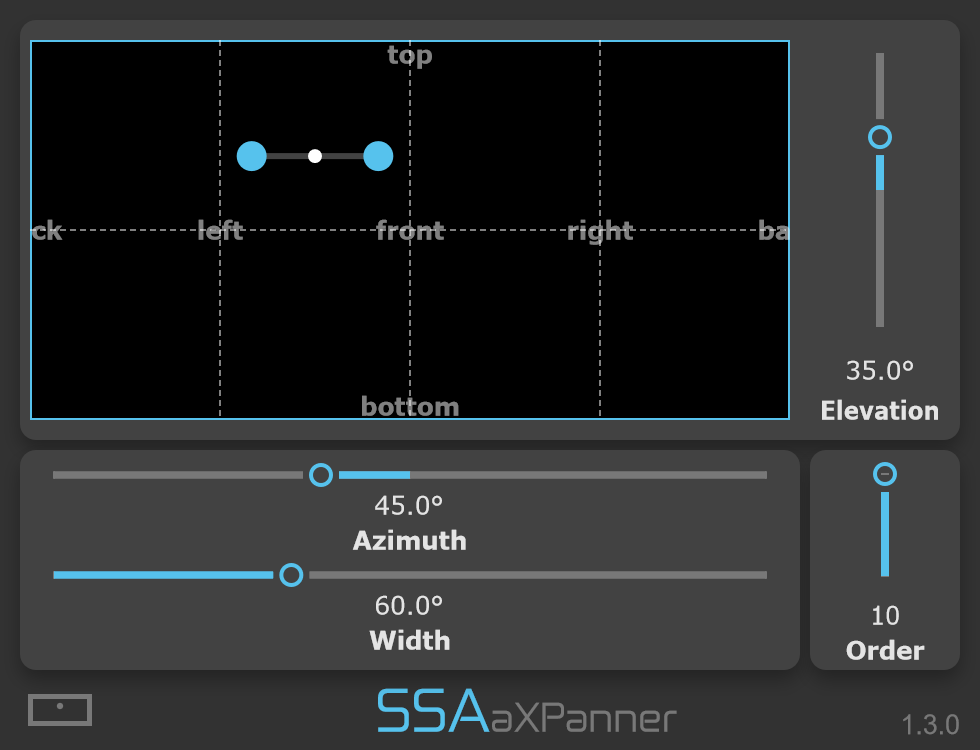
Place mono or stereo sources by dragging their markers through the panning display. When precision matters, use the azimuth and elevation controls to position them down to the degree.
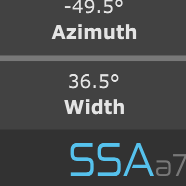
Azimuth controls the horizontal direction around the listener, while elevation moves the source above or below the horizontal plane.
02 / Stereo width
Decide how wide the source feels.
Control the angular distance between the left and right input channels. Bring them together at the same position or spread them apart to create a wider spatial image.
With a mono input, aXPanner creates two copies of the source and positions them with the selected width between them.
03 / Panning views
See the scene your way.
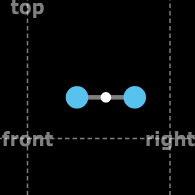
Choose an equirectangular azimuth-and-elevation display or switch to a top-down view when that gives you a clearer picture of the placement around the listener.
Both views control the same Ambisonic position, so you can work from whichever perspective feels more natural.
04 / Ambisonic order
Scale the resolution to the session.
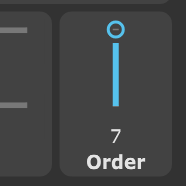
Select the maximum Ambisonic order produced by aXPanner, from first order through to tenth order on the aX version.
Higher orders increase spatial resolution but also require more channels, so your available maximum depends on the routing supported by your DAW.
The full control set
Simple controls for a three-dimensional mix.
Azimuth
Control the horizontal position of the source around the listener.
Elevation
Move the source vertically, from below the listener through the horizontal plane to directly overhead.
Width
Set the azimuthal separation between the left and right channels of a stereo source.
Order
Choose the maximum Ambisonic output order supported by your version of aXPanner and your session.
Equirectangular view
Position the source using a complete azimuth-and-elevation view of the sound field.
Top-down view
Switch to a view looking down on the listener for intuitive horizontal positioning around the scene.
Mono or stereo in. Ambisonics out.
From source track to spatial scene.
aXPanner encodes your source into AmbiX Ambisonics, ready to become part of a complete immersive mix.
Your source goes in. Ambisonics comes out.
Use a mono or stereo input and output AmbiX (ACN/SN3D) Ambisonics from first order up to the maximum order supported by your version.
Decode before you listen.
The output of aXPanner is an Ambisonic signal, not a speaker or headphone mix. Monitor it through a compatible Ambisonic decoder, such as aXMonitor.
First order uses 4 channels, third order uses 16, and tenth order uses 121. Your DAW must support the required track width and plugin routing.
Find your fit
Choose your version.
The same panning workflow, with the Ambisonic order range your work needs.
* Maximum order depends on your DAW.
Formats & requirements
Check the fit for your studio.
Your host needs internal routing that supports the required number of Ambisonic channels. Check your DAW’s current channel limits and test aXPanner in your intended session before purchasing.
Intel or Apple Silicon (Universal Binary) macOS 10.13 or later · 4 GB RAM
Windows
64-bit Windows 10 or later 4 GB RAM
Input
Mono or stereo
Output
AmbiX (ACN/SN3D) Ambisonics
Ambisonic versions
a1: first order (4 channels) a3: up to third order (16 channels) aX: up to tenth order (121 channels)
Host routing
Track width and plugin routing must support the chosen Ambisonic order.
A little more detail
Good questions.
Can I use both mono and stereo sources?
Yes. aXPanner accepts both mono and stereo input. With stereo material you can control the angular width between the two channels. With mono material, the width control creates two copies of the source and positions them with the selected separation.
Do I need an Ambisonic decoder?
Yes. aXPanner creates an Ambisonic signal, which must be decoded for headphones or your chosen loudspeaker layout. Use a compatible Ambisonic decoder such as aXMonitor when monitoring the result.
Which Ambisonic order do I need?
Match the version to the spatial resolution required by your project and the channel count supported by your DAW. a1 outputs first order, a3 supports up to third order, and aX supports up to tenth order in compatible hosts.
Can I try the plugins first?
Yes. Download a trial from SSA Plugins and explore the full functionality for 15 days in your own workflow.
Can I upgrade to a higher order later?
SSA Plugins offers an upgrade policy. Contact SSA Plugins through the current store for your upgrade options and voucher.
Put it in your own mix.
Explore the full capabilities of aXPanner with a 15-day free trial.